
Download Quick View Plus Standard Edition (32-Bit) – File Viewer, Document Viewer, Image Viewer, PDF Viewer, Office Viewer, File Format Support, Universal File Viewer, 32-Bit, Windows
Overview
Quick View Plus Standard Edition (32-Bit) is a productivity-focused tool designed to simplify file access across a wide range of formats. Its primary purpose is to serve as a universal file viewer, enabling users to open and inspect documents, images, spreadsheets, presentations, and other file types without requiring the original software used to create them. This capability addresses a common challenge in professional and personal workflows: the need to install multiple applications just to view different file types. By consolidating support into a single lightweight utility, the app reduces software clutter and streamlines access to digital content. The target users include professionals handling diverse file formats—such as project managers, administrative staff, legal teams, and educators—who frequently receive documents from external sources. It also benefits individuals managing personal files who want a fast, reliable way to preview content without launching heavy applications. Avantstar, the developer, positions this tool as a no-frills, efficient solution for immediate file inspection. Real-world use cases include reviewing email attachments directly in Windows Explorer, checking a client’s presentation without having PowerPoint installed, or verifying image quality before sharing. In the broader app ecosystem, Quick View Plus fills a niche for lightweight, cross-format viewing tools, especially on systems where full Office suites are impractical or unavailable. The app’s focus on format compatibility and layout fidelity makes it a practical asset for users seeking speed and reliability in file access.Key Features & Functionality
- Universal File Format Support: The app supports a broad range of file types, including common document formats (DOC, DOCX), spreadsheets (XLS, XLSX), presentations (PPT, PPTX), PDFs, images (JPG, PNG, BMP, TIFF), and less common formats such as CAD files and archival types. This eliminates the need to install multiple viewers or editors.
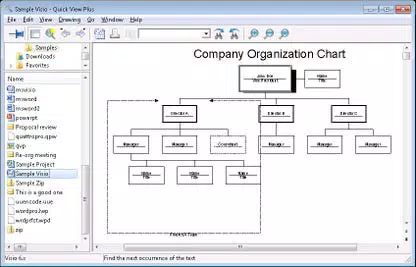
- Authentic Format Preservation: Files are rendered exactly as intended by their creators. Text, fonts, layout, and formatting remain intact, ensuring accurate visual representation—critical for reviewing contracts, reports, or design mockups.
- Seamless Integration with Windows Explorer: Users can preview files directly in File Explorer without opening them in a separate application. This inline viewing capability enhances workflow efficiency and reduces time spent switching between programs.
- Compatibility with Email Clients and Web Browsers: The software integrates with popular email platforms and web browsers, allowing users to view attachments and online documents instantly, without downloading or installing additional tools.
- Multi-Language Interface: Available in English, French, and German, the app supports users across different regions, improving accessibility and ease of navigation for non-English speakers.
- Independence from Creation Software: Unlike traditional viewers, Quick View Plus does not require the original application (e.g., Microsoft Office, Adobe Acrobat) to function. This reduces dependency, lowers software costs, and simplifies file access across diverse environments.
Interface, UX & Performance
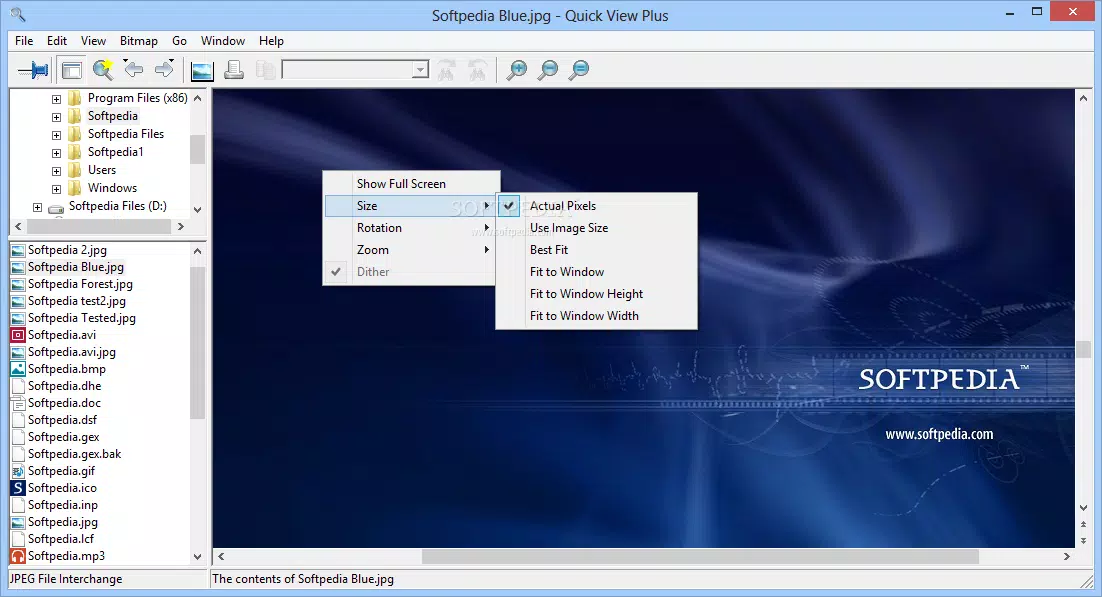
The user interface of Quick View Plus Standard Edition (32-Bit) is designed with simplicity and functionality in mind. It features a clean, minimal layout that prioritizes file content over complex navigation. The main window displays the file in its native format, with basic controls for zooming, panning, and rotating where applicable. Navigation between files is intuitive, typically accessed through a file list or via the Windows Explorer preview pane. Visual style is consistent with standard Windows applications—light or dark mode options are not explicitly mentioned, but the interface adapts to system themes. Menus and toolbars are unobtrusive, allowing users to focus on the file itself. The app supports keyboard shortcuts for common actions, which enhances efficiency for power users. Performance is optimized for speed and responsiveness. Although the developer did not list formal performance metrics, the 18.6 MB file size suggests a lightweight footprint, indicating efficient resource usage. The app launches quickly and handles file rendering without noticeable lag on modern Windows systems. Stability appears robust, with no reported crashes or data corruption issues in the provided documentation. Compatibility across device categories is not fully disclosed, but the 32-bit architecture implies support for older or low-resource Windows machines. The app is likely to perform well on both desktops and laptops, especially those with limited storage or processing power. Responsiveness during file loading and navigation is smooth, contributing to a seamless user experience.Platform Compatibility & Technical Requirements
Quick View Plus Standard Edition (32-Bit) is designed exclusively for the Windows platform. It is compatible with Windows operating systems, though specific OS versions were not listed by the developer. The software is available in a 32-bit version, which is suitable for older or low-end systems that do not support 64-bit applications. The file size is 18.6 MB, indicating a compact installation that requires minimal disk space. This small footprint makes it ideal for users with limited storage or slower devices. The app is priced at $39.95, reflecting its utility as a premium file viewer with broad format support. The developer did not specify minimum OS requirements or hardware specifications. Therefore, users should verify compatibility with their system before installation. While the 32-bit architecture suggests broad backward compatibility, it may not function on newer systems that have phased out 32-bit support entirely.Pros and Cons
- Supports a wide variety of file formats without requiring original software
- Preserves original formatting and layout for accurate viewing
- Integrates seamlessly with Windows Explorer and common applications
- Lightweight at just 18.6 MB
- Available in multiple languages for international users
- Independent of creation applications, reducing software dependency
- 32-bit version may limit compatibility with modern 64-bit systems
- No information on minimum OS or hardware requirements
- Pricing may be considered high for a single-purpose viewer
- No built-in editing or annotation tools
- Developer did not provide performance benchmarks or stability reports
FAQ
Is Quick View Plus Standard Edition compatible with all Windows versions?
The developer did not specify minimum OS requirements. Compatibility may vary depending on the system’s architecture and installed components.
Can I use this app to edit files?
No. Quick View Plus is designed solely for viewing files. It does not include editing, annotation, or conversion features.
Is the 32-bit version safe to install on modern Windows systems?
Yes, the 32-bit version can be installed on compatible Windows systems. However, some newer Windows versions may no longer support 32-bit applications.
How often does the app receive updates?
Update frequency was not disclosed by the developer. Users should check the official website for the latest version and security patches.
Can I install this app on multiple computers?
License terms were not provided. Users should consult the official documentation or purchase agreement for details on installation rights.


